

Does Tracking Data Overwhelm You?
Manually tracking data from recent benchmarks, then shuffling students into fluid proficiency tiers, and writing out differentiated lesson plans uses up hours of your precious prep time.
Tired of messy clipboards, forgotten tracking notes, and clunky spreadsheets that don’t meet your needs? Take control of classroom organization with a faster, fully automated solution.
The Time-Saving Solution: Small Group Generator & Data Tracker
My Math Data Tracker & Automated Small Group Generator does all the heavy lifting for you. Built entirely in Google Sheets, this intuitive digital data folder is perfectly aligned with state standards! Simply enter your assessment scores, and watch the sheet automatically sort your students into small groups based on your custom criteria!
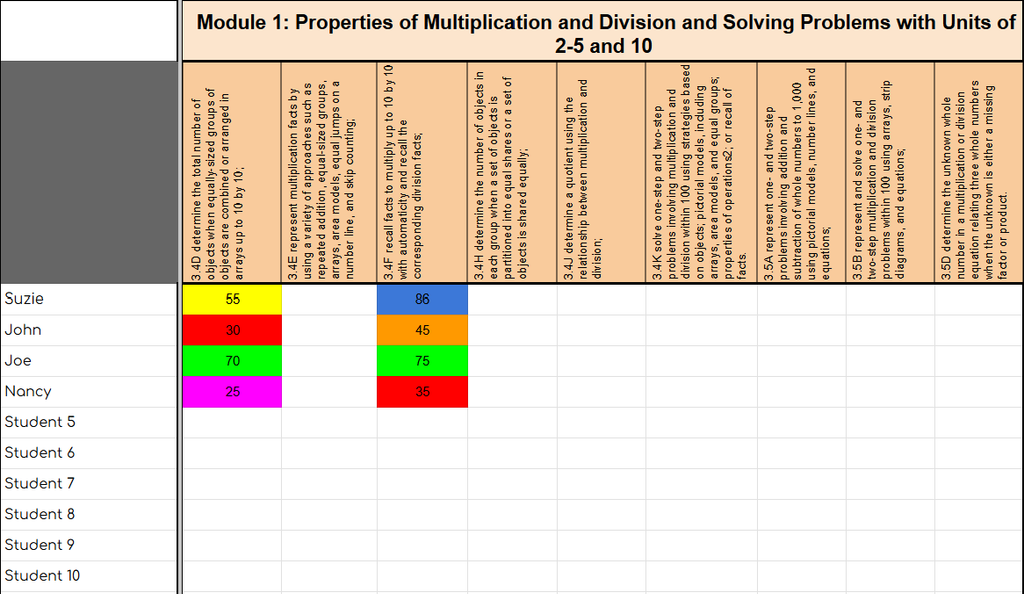
Class Roster & Assessment Data Tab
Type in your class roster once. Input raw data or percentages from any formal benchmarks, STAAR test prep, or informal exit tickets. Update as students show growth throughout the year!
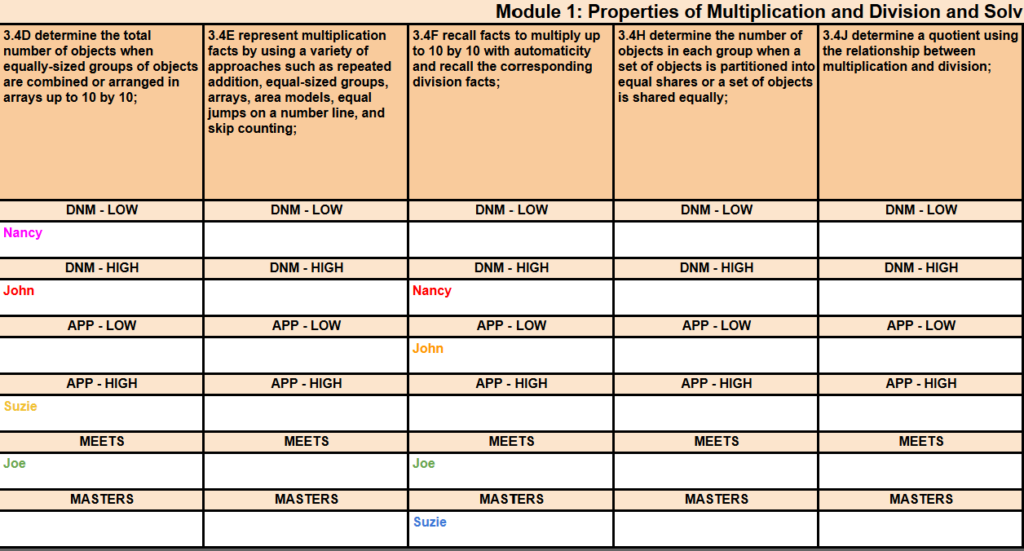
Automated Small Group Data Tracker
Zero typing required! Student names automatically populate into 6 targeted proficiency tiers based on their scores.
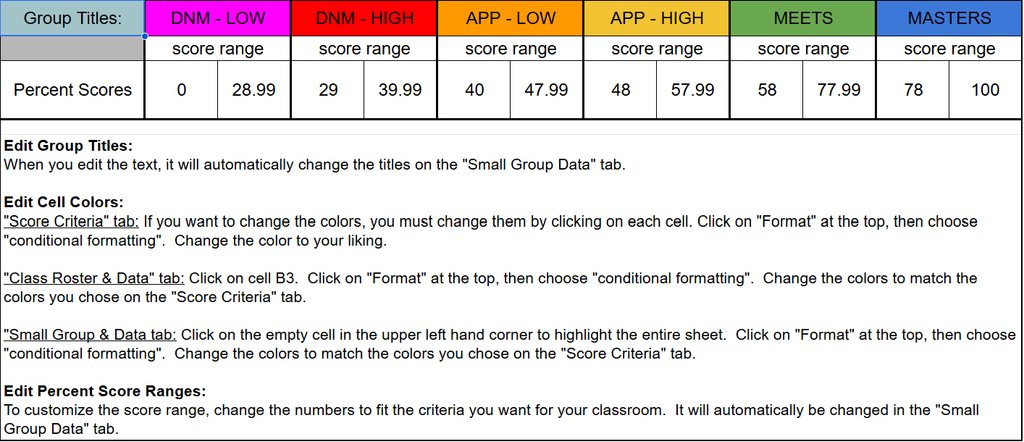
Score Criteria Tab
100% Customizable: Easily tweak progress level names, target percent criteria, and mastery cutoffs.
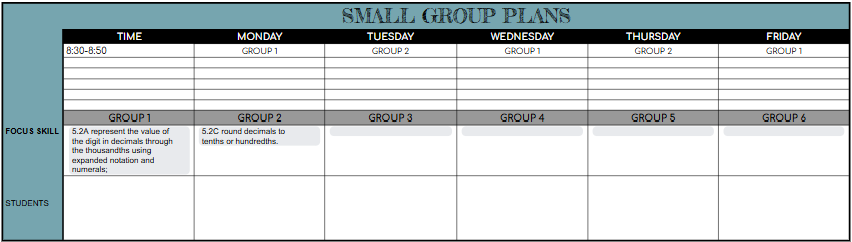
Weekly Small Group Lesson Plans Template
Map out your weekly rotations seamlessly. Use the built-in drop-down menus to select your targeted daily focus, and assign specific student clusters to your teacher table. Duplicate the tab with one click to plan every week of the school year!
Now that your Students are Grouped…
The next headache… Keeping track of student observations, strengths, and weaknesses, so you have documentation for conferences and meetings. Sticky notes, time consuming note taking, and paper everywhere! There has to be a better system!
The Solution!
An editable template that you can customize, and it is quick to fill out. It comes in both printable and digital versions. Use whichever you prefer, or both. Transfer information from the printable form to the digital, so you don’t have to keep track of all that paper!
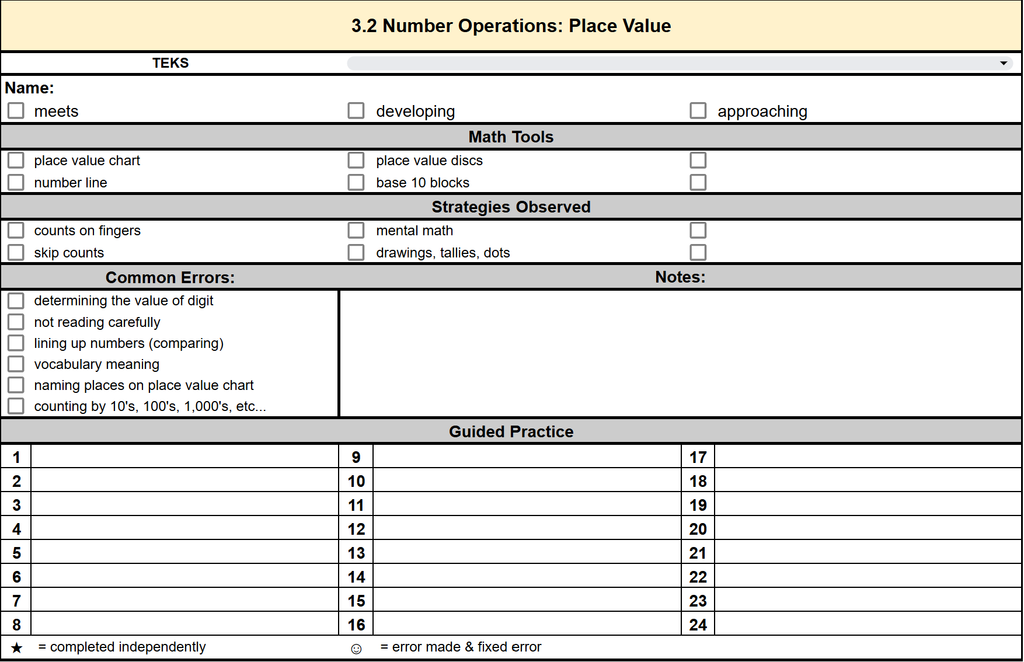
Printable Anecdotal Notes
Choose the Math Strand of the standard you will focus on. Click on the drop-down menu to choose the focus standard, then print enough for each student (2 per page). Then while in small groups, simply check any tools used, observations, errors, and record any additional notes. Task cards are my go to for guided practice (no more wandering eyes!)
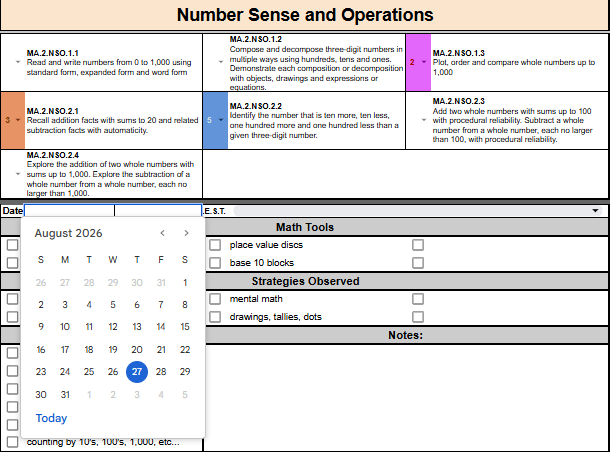
Digital Anecdotal Notes
Go paperless with this digital version of anecdotal notes! Use the drop-downs, to select the progress levels of the standard you are working on. Then use the date picker calendar to choose the date. After that, simply click on the check boxes to record math tools, observations, and common errors. Type any additional notes.
Leave a Reply